To edit an HTML landing page template without coding, open the sponsor's landing kit (the unzipped folder or the ZIP file) in a visual WYSIWYG HTML editor, change the headline, copy, images and buttons as you would in a word processor, preview it at phone size and upload only the changed files to your host over SFTP. The rule that matters most: leave the sponsor's tracking links, scripts and compliance text exactly as supplied unless the programme tells you otherwise.
Most adult programmes hand affiliates a self-hosted landing kit alongside their banners and hosted tours. Out of the box it is written for everyone, which means it is written for no one in particular. A few targeted edits, such as a headline in the visitor's language, a call to action that matches the ad they clicked, or a lighter page for mobile traffic, are often where a kit starts to earn its place.
What is inside a sponsor landing page kit?
Before you change anything, it helps to know what you are looking at. A typical kit downloaded from an affiliate area contains:
- index.html (sometimes several pages, such as a pre-lander and a main page).
- A css folder with the stylesheet that controls fonts, colours and layout.
- An images or img folder with hero images, logos and buttons.
- Often a js folder with scripts for countdowns, sliders, age gates or form handling.
- Placeholder or pre-filled tracking links carrying your affiliate ID, campaign and sub-ID parameters.
If you are unsure how kits differ from hosted tours, banners and embeds, our guide to adult affiliate promo tools explains each type and when to use it.
What should you check before you change anything?
- Read the programme's terms on promo tools. Some sponsors allow broad customisation of self-hosted kits; others only allow text changes, or forbid altering membership rates, claims, logos or legal notices. If in doubt, ask your affiliate manager in writing.
- Keep an untouched copy. Duplicate the original folder before you start so you can compare or roll back.
- Record your tracking URL. Note the exact link format, including any sub-IDs you use to split traffic by source (see how sub-IDs work). A single broken character here means unpaid conversions.
- Identify the compliance elements. Age notices, terms links, cookie scripts and record-keeping statements usually need to stay. Changing them can breach the programme agreement and local rules.
- Keep claims honest. New copy is your responsibility. Avoid invented scarcity, fake reviews or misleading offers; our advertising rules section covers what UK and EU regulators expect.
How to edit an HTML landing page template step by step
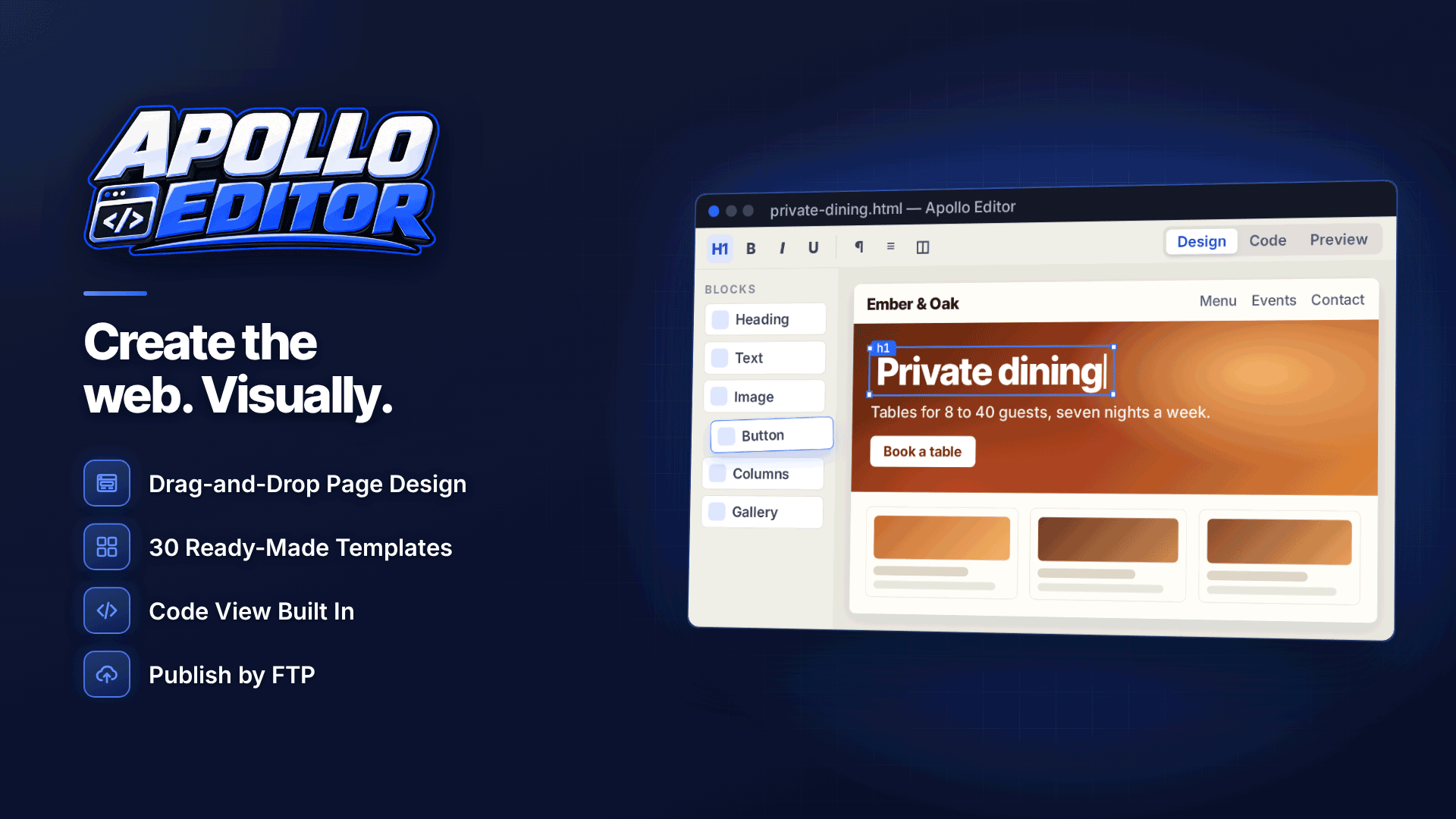
You do not need to read HTML to make the common changes. A visual editor shows the page as visitors will see it and writes the markup for you, while still letting you look at the code when you need to. As a worked example, Apollo Editor is a Windows desktop WYSIWYG HTML editor that opens any folder of HTML pages or imports a website ZIP directly, keeps the existing code where it can and does not convert the kit into a proprietary project format.
1. Open the kit
Point the editor at the unzipped folder, or import the ZIP as it came from the affiliate area. The pages, stylesheets, scripts and images appear in a site explorer so you can see which file is the entry page.
2. Change copy and calls to action in Design view
Open the page in Apollo Editor, click into the headline and type over it. Bold, colours, alignment, lists and headings work like a word processor, and formatted paste lets you bring in copy you drafted elsewhere. For buttons, change the label to match the ad that sent the visitor, for example "Watch the trailer" if the ad promised a preview. Use the hyperlink editor to check where each button points rather than retyping URLs.
3. Check the code in Split view
Split view shows the page and its HTML side by side. Click a button in the design pane and the matching code is highlighted, so you can confirm that the link still carries your affiliate ID and sub-ID after editing. The code pane has syntax highlighting and HTML and CSS validation, which catches unclosed tags before they break a layout.
4. Swap or describe images
Image Properties lets you replace a file, set its size and alignment and add alt text. Prepare new images at the right dimensions first in an image tool: the editor is not an image editor, and keeping file sizes small matters for mobile visitors.
5. Preview at phone and tablet sizes
Most adult traffic is mobile. Preview at phone, tablet and desktop sizes (or a custom width) and check that the headline, main image and button are visible without scrolling. Untrusted scripts in the kit run sandboxed during preview.
What if the page is full of JavaScript?
Some kits build the page with scripts: rotating offers, geo-targeted headlines or multi-step quizzes. Visual editing has limits on such pages. In this editor, pages that are too complex to edit visually keep their original source, and JavaScript-heavy pages are best changed in Code view. In practice that means using the search tools to find the visible text inside the script and editing just that string, leaving the logic alone. If the change needs real script work, ask the sponsor for an editable version or use one of their hosted variants instead.
How do you upload the landing page via SFTP?
Once the page looks right, publish it to your own hosting. The editor publishes by FTP, FTPS or SFTP with saved server details and a connection test, and it can send all files or only the files you changed, with progress and a transfer log. Choose SFTP or FTPS where your host supports them so your password and files are encrypted in transit; plain FTP is not. Server passwords are kept in secure storage rather than in the site files. For a fuller walkthrough of host details and folders, see how to upload website files with FTP or SFTP.
After uploading, click every button on the live page, complete a test journey to the sponsor and confirm the click registers in your affiliate stats against the right sub-ID.
Common mistakes when customising affiliate landing pages
| Mistake | What happens | How to avoid it |
|---|---|---|
| Retyping a tracking URL | Clicks land but conversions are not credited | Edit link targets in the link editor and compare against your saved URL |
| Deleting a "small" script | Age gate, cookie banner or tracking stops working | Only remove scripts you can identify and are allowed to change |
| Oversized replacement images | Slow mobile load and higher bounce | Resize and compress before inserting |
| Changing several things at once | You cannot tell which edit moved the numbers | Test one change at a time |
| Editing the live copy only | No way back when something breaks | Keep the original kit and a dated copy of each version |
Tip: treat every edit as a test. Run the original kit and your customised version side by side for long enough to reach a meaningful sample; our guide to A/B testing landing pages explains how to split traffic and read the results.
Frequently asked questions
Am I allowed to edit a sponsor's landing page?
It depends on the programme. Self-hosted kits are usually supplied so you can host and adapt them, but many terms restrict changes to rates, claims, branding and legal text. Check the promo tools terms and get permission in writing for anything significant.
Will editing the page break my affiliate tracking?
Not if the link targets and tracking scripts stay intact. Problems come from retyped URLs, removed parameters or deleted scripts. Check the code in Split view and run a test click after publishing.
Can I edit an HTML landing page template on a phone?
Small text changes are possible in some hosting file managers, but for layout changes, images and previews at several screen sizes a desktop editor is far safer. You can still check the result on your phone once it is live.
Next steps
Once your edited kit is live and tracking correctly, work on what the page says and how it is structured: our guide to adult landing pages that convert covers layout, copy and trust signals, and you can compare editors and other tools in the webmaster software and services directory. If you want to edit kits visually and publish only the files you changed, take a look at Apollo Editor.