
Yes, permanently deleted files can often be recovered. Emptying the Recycle Bin or pressing Shift+Delete removes a file's entry from the drive's index, but on hard drives, USB sticks and memory cards the data usually stays on the disk until it is overwritten, and ordinary recovery software can read it back. Internal SSDs are the main exception, because TRIM often clears deleted data within minutes. Under GDPR that matters: "deleted" personal data that anyone can recover is still personal data you hold.
This guide is for site owners and small businesses that keep customer lists, member exports, performer records or ID scans on Windows PCs. It explains how deletion really works, what the UK GDPR and EU GDPR expect when someone asks you to erase their data, and how to check what is still recoverable on a machine before it is reused, sold or recycled. It is general information, not legal advice.
How does deleting a file actually work on Windows?
A drive keeps an index of where each file lives. When you delete a file, Windows normally updates that index to mark the space as available. The contents are not wiped. Here is what each common action really does:
| Action | What happens | Recoverable afterwards? |
|---|---|---|
| Delete to Recycle Bin | File moved to a hidden folder on the same drive | Yes, simply restore it |
| Empty the Recycle Bin | Index entries marked as free; data left in place | Often, until overwritten |
| Shift+Delete | Skips the Recycle Bin; same as above | Often, until overwritten |
| Delete on a USB stick or SD card | Usually no Recycle Bin; space marked as free | Often, until overwritten |
| Delete on an internal SSD | Windows sends a TRIM command; the drive may clear the blocks | Frequently not, sometimes within minutes |
| Quick format | New empty index written | Often |
| Full format or a proper erase | Data overwritten or securely cleared | No |
So the honest answer to "can permanently deleted files be recovered?" is: it depends on the drive and on what has been written since. On a hard drive or a USB backup stick, a member export deleted last month may be fully readable today.
Why are SSDs different?
Solid-state drives must clear old blocks before they can reuse them. To keep performance up, Windows tells the SSD which blocks no longer hold live files (TRIM), and the drive's firmware may erase them in the background. On many internal SSDs that makes deleted data unrecoverable quickly. Do not rely on it as an erasure method, though: TRIM behaviour varies by drive, by connection and by configuration, and external USB drives and memory cards are usually unaffected.
Does deleting files meet GDPR erasure?
Under Article 17 of the GDPR, the right to erasure, people can ask you to erase their personal data in certain circumstances, for example when you no longer need it or they withdraw consent and there is no other lawful basis. The UK GDPR keeps the same right. The regulation does not prescribe a technical method, but it does expect the data to be erased, not just hidden.
The ICO's right to erasure guidance makes three points worth knowing:
- You must respond without undue delay and within one month, extendable by up to two further months for complex requests if you tell the person within the first month.
- Erasure applies to backup systems as well as live systems. Backup copies may remain until they are overwritten on your normal schedule, but they must be put "beyond use" in the meantime and you must be clear with the person about what happens to them.
- You need to be able to explain what you did.
Deleting a spreadsheet of members on a PC with a hard drive, while copies sit recoverable on that drive and on an old USB stick, sits awkwardly with that. Day to day, the data is not "in use", but if the PC is stolen, sold or handed to a repair shop, anyone with a recovery tool can read it. That is also why data on discarded devices is a classic source of breaches; if it happens, you may face the decisions in our guide to data breach notification within 72 hours.
Higher stakes for adult businesses: records that reveal someone's sex life or sexual orientation can be special category data, and ID documents for age or performer checks are highly sensitive. See our guide to special category data on adult sites.
How can you check if deleted files are recoverable?
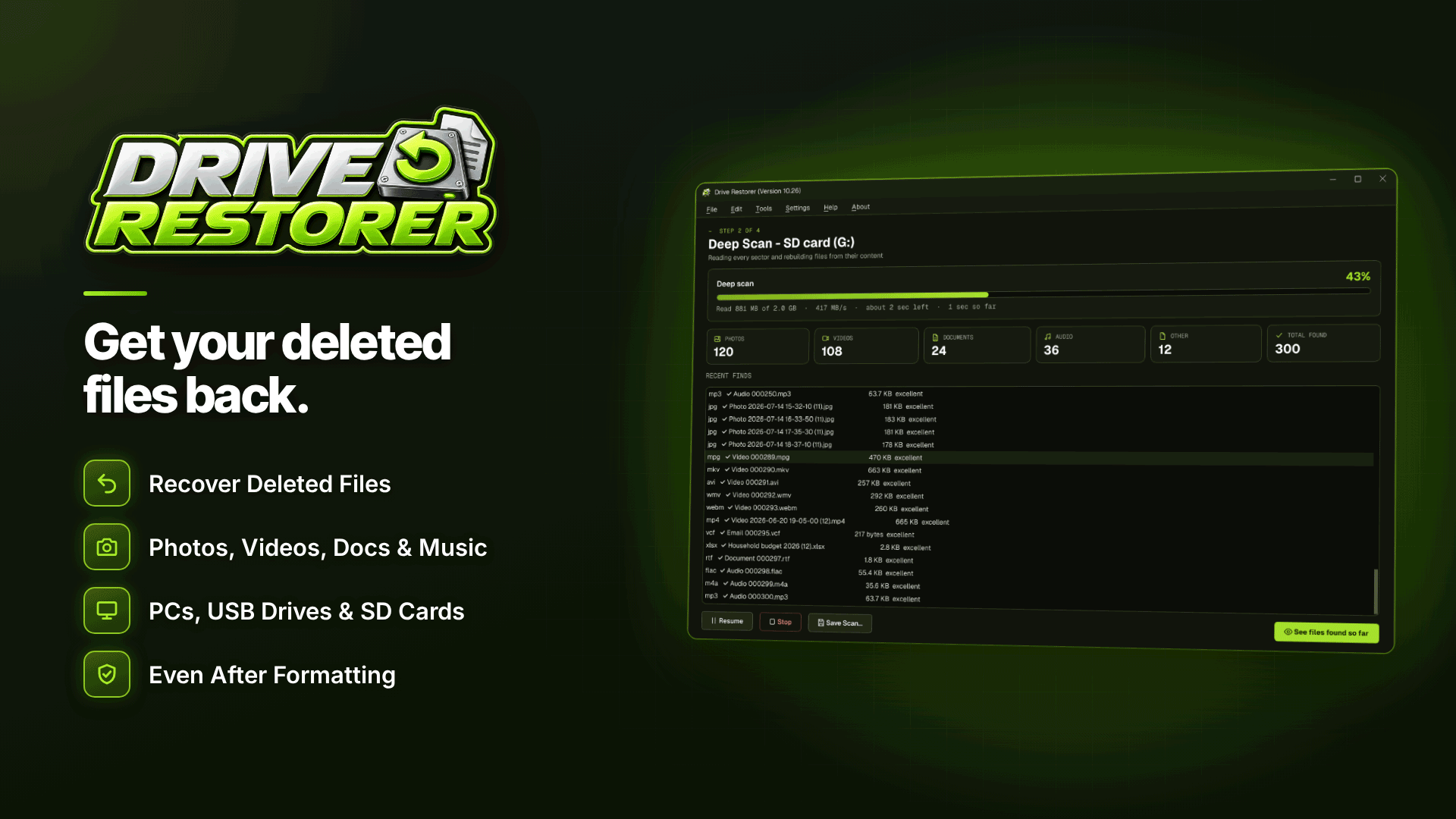
The practical way to know is to look at a drive the way an outsider would. A read-only recovery scanner shows what can still be found without changing anything on the disk. Drive Restorer is a Windows 10 and 11 tool that works well for this kind of audit, because it reads drives without writing to them and rates every file it finds.
- Pick the drives that matter. The office PC, laptops used for support or bookkeeping, and any USB sticks or SD cards that have carried exports or ID scans. The software reads HDDs, SSDs, USB drives and memory cards formatted as NTFS, FAT or exFAT, and needs administrator rights.
- Run a quick scan. It uses the drive's own records and matches files emptied from the Recycle Bin back to their original folders, so you can see exactly which customer exports are still readable.
- Run a deep scan on devices you plan to dispose of. It finds files by their contents even when records are gone, which is how a determined third party would approach the drive.
- Filter and preview. Filter by name, type (spreadsheets, PDFs, Outlook data, photos), size and date, and preview documents to confirm what they contain.
- Read the recovery chance rating. Each file is rated Excellent, Good, Partly overwritten or Overwritten. Anything rated Excellent or Good is, in practice, still there.
- Record the result. The scan gives you evidence for your records about which devices still hold old personal data and need proper erasure.
Be clear about the limits. This is an audit tool, not an erasure tool: it tells you what remains but does not wipe anything. Use it to find the problem, then deal with the device through a proper erasure method or physical destruction, and run the scan again to confirm nothing readable is left.
What should you do about it?
For erasure requests
- Keep personal data in as few places as possible: your CRM, membership platform or database, not a trail of CSV exports on desktops.
- When you delete exports, remember the copies in Downloads, email attachments and USB sticks.
- Set backup retention so old copies age out on a known schedule, and document that schedule in your privacy information.
For old devices
- Never sell, donate or recycle a PC, drive or USB stick after a simple delete or quick format.
- Use a proper erasure method or a certified disposal service, and keep a record of which device was erased and when. The compliance and verification services directory lists relevant providers.
- When staff move to new PCs, plan the old machine's erasure as part of the move; our guide to secure staff PC migration under GDPR covers the process.
For access requests
The same habits help with subject access requests. Personal data scattered across forgotten files is hard to find, and if it is still held, it may fall within a request; see how to respond to a subject access request.
Frequently asked questions
Can files be recovered after emptying the Recycle Bin?
Often, yes, on hard drives, USB sticks and memory cards, because the data stays until something overwrites it. On internal SSDs, TRIM usually makes recovery much less likely.
Is a quick format enough before selling a PC?
No. A quick format only writes a new, empty index, and a deep scan can usually still find the old files. Use a proper erasure method or physical destruction for drives that held personal data.
Do I have to delete someone's data from backups?
The ICO says erasure applies to backups too, but accepts that backup copies may remain until overwritten on your normal schedule, as long as they are put beyond use and you are clear with the person about it.
Does a recovery tool prove a drive is clean?
A deep scan that finds nothing readable is good evidence that ordinary recovery will fail, which is useful for your records. It does not replace a documented erasure process.
Next steps
Start with the devices most likely to leave the business soon: old laptops, spare drives and USB sticks. Scan them read-only with Drive Restorer to see what personal data is still recoverable, then arrange proper erasure for anything that shows up.


