
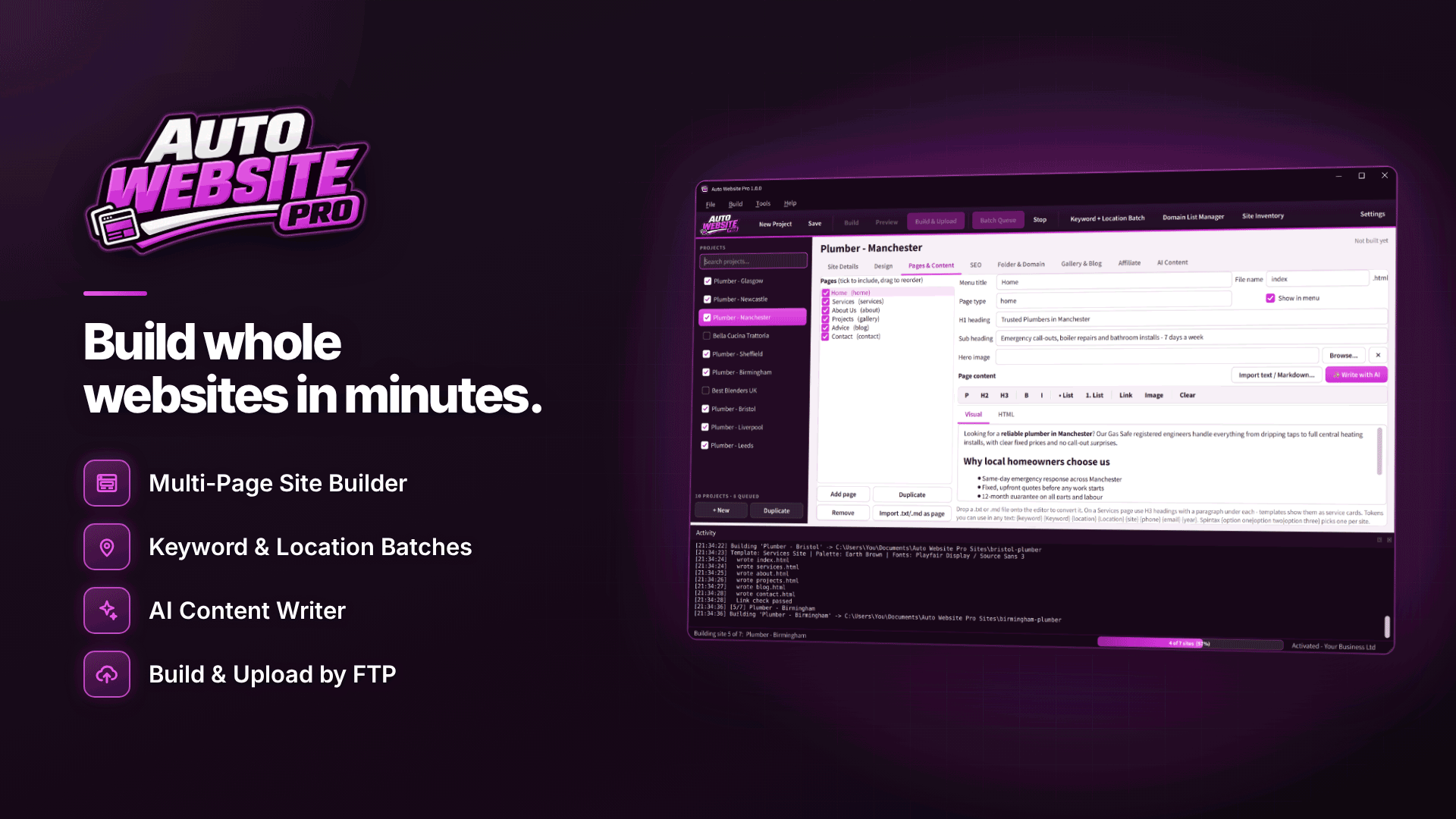
What is the best software to build static affiliate websites? It depends on how many sites you run and how much you want to code, but for Windows users who want ready-made affiliate templates, AI-assisted drafting, built-in SEO tags and one-click uploads without touching HTML, Auto Website Pro is a strong fit. It builds plain HTML and CSS sites, so there is no database or CMS to maintain, but that also means no dynamic features.
This walkthrough covers what the tool does, who it suits, and its honest limits, so you can decide whether it belongs in your stack.
Why build a static HTML affiliate website?
A static HTML affiliate website is a set of ready-made pages your host simply serves. For many beginners and small portfolios that has real advantages:
- Little to maintain. No CMS core, theme or plugins to update, and no admin login on the server for attackers to target.
- Fast pages. There is nothing to assemble on each request.
- Cheap, simple hosting. Any host that serves files will do.
The trade-off is flexibility: editing means rebuilding and re-uploading, and features like comments, site search or member areas need third-party services. If you are just starting, our guide to starting an affiliate website from scratch covers niche choice and planning before tools.
What is the best software to build static affiliate websites?
There is no single winner; the best choice is the one that does the jobs your site needs. Judge any tool against the jobs an affiliate site actually needs done:
- Templates that include review and comparison layouts, not just generic business pages.
- A clear place for your affiliate disclosure.
- Per-page SEO control: titles, meta descriptions, canonicals, sitemap.
- Central management of affiliate links, so a changed tracking link is fixed once.
- Secure upload (SFTP or FTPS) and an export option so you are not locked in.
- Mobile previews, because most affiliate traffic is on phones.
Our overview of the essential affiliate marketing tool stack shows where a site builder sits alongside tracking, research and analytics tools.
Templates, design and editing
The software is a Windows desktop application with 11 built-in multi-page templates: Business, Services, Portfolio, Photography, Blog, Personal, Restaurant, Agency, Real Estate, Landing Page and Affiliate Marketing. Each comes with the relevant pages (such as Home, About, Services, Gallery, Blog and Contact) and navigation generated automatically.
- Design: 12 named colour schemes plus custom ones, 12 tested font pairings, and random modes for template, colours and fonts.
- Editing: visual and HTML page editors, import of .txt and .md files, blog posts from RSS feeds (only republish articles you have permission to use), and image folders into galleries.
- Custom templates: bring your own HTML with tokens such as {keyword}, {site} and {year} and spin syntax.
- Previews at desktop, tablet and phone sizes before publishing.
Affiliate-specific features
The Affiliate Marketing template is the reason most affiliates will look at Auto Website Pro. It includes review cards, star ratings, pros and cons, comparison tables, call-to-action buttons and a disclosure notice. A shared product and banner link library, with banner rotation, lets several pages or sites draw on the same tracking links. Make sure your disclosure wording meets UK and EU rules; the tool gives you the slot, but the words are your responsibility.
AI content with your own OpenAI API key
For AI website content, you connect your own OpenAI API key. The tool can then draft keyword-aware page copy, titles and meta descriptions, with settings for tone, length and extra instructions, and a token and usage counter so you can watch what you are spending with OpenAI, which bills you directly.
Use AI for first drafts and structure, then add your own experience and product knowledge. Google's spam policies warn against generating many pages without adding value for users, and readers can tell when a review has never touched the product.
SEO, publishing and batch tools
| Area | What it does |
|---|---|
| SEO tags | Site-wide and per-page titles, meta descriptions, keywords, canonical links, noindex and Open Graph tags; responsive layouts |
| Site files | sitemap.xml and robots.txt per site (sitemaps and canonicals need a domain or base URL) |
| Uploading | Domain List Manager with FTP, FTPS and SFTP logins and connection tests; broken-link check before upload |
| Export | ZIP export per site or batch, CSV build logs, Site Inventory |
| Batch building | Batch Queue, bulk domain assignment, Keyword + Location batches, CSV import with one site per row |
| Scheduling | In-app timer while the app is open, or Windows Task Scheduler when it is closed |
The batch features matter more once you run several sites; our guide to building multiple affiliate websites at once shows that workflow in detail.
What are the limits?
- Static HTML only. No PHP, no database, so no built-in comments, logins, search or forms that process data on your server.
- Windows only. 64-bit Windows 10 (version 1809 or later) or Windows 11; one activation per PC.
- Timer needs the app open. For runs while it is closed you need Windows Task Scheduler, and the PC must be on.
- AI is optional and external. You need your own OpenAI key and account.
- Activation required for building, uploading, queueing, scheduling and AI, with up to 7 days offline allowed.
How would a first affiliate site come together?
As an illustration, here is how a beginner might use the tool to get a small review site live:
- Choose the Affiliate Marketing template and pick a colour scheme and font pairing that suit the niche.
- Write the home page in the visual editor: who the site is for, what it recommends and how products were chosen.
- Add three review pages using review cards, star ratings and pros and cons, and one comparison table that sets the options side by side.
- Add your links to the shared link library and place call-to-action buttons on each review.
- Complete the SEO fields for each page, set the domain so the sitemap and canonical links are generated, and check the disclosure notice is visible.
- Preview on phone, tablet and desktop, fix anything that wraps badly, then add the domain's SFTP login and upload.
From there, adding a new review is a matter of editing, rebuilding and re-uploading. Keep a ZIP export of each version as a simple backup.
Who is it for?
It suits beginner and intermediate affiliates who want a professional-looking static site without coding, freelancers building client sites and handing over ZIP files, and affiliates running small portfolios who value low maintenance. If you need membership areas, user accounts or heavy interactivity, a CMS is the better choice. Budgeting for tools alongside hosting and domains is covered in what it takes to start affiliate marketing.
Frequently asked questions
Is it an offline website builder for Windows?
You build and edit sites on your PC, so most work happens locally. Activation needs an internet connection, it allows 7 days offline, and uploading and AI features naturally need a connection.
Can I move my site to another tool later?
Yes. The output is standard HTML and CSS, and ZIP export gives you a complete copy of each site.
Does it host my site?
No. You upload to your own hosting by FTP, FTPS or SFTP.
Next steps
Sketch the pages your first affiliate site needs, then check whether the Affiliate Marketing template covers them. Compare other options in our webmaster software directory, or explore the templates and features on the Auto Website Pro site.


