If you want to know how to build multiple websites at once, the practical route is a batch workflow: prepare the content for every site in a spreadsheet or folder, generate each site from a template with its own design, check links, then upload each one to its own domain in a single queued run. Static HTML sites suit this well because they need no database, install or updates on the server.
The hard part is not the building; it is making each site worth visiting. This guide covers how to plan a batch of affiliate sites, the workflow that keeps it manageable, and the mistakes that turn a portfolio into a pile of near-identical pages nobody ranks.
When does building several affiliate sites at once make sense?
Batch building is worth it when the sites share a structure but serve genuinely different audiences or topics. Good examples:
- Small review sites for separate product niches that would dilute each other on one domain.
- Sites for different languages or countries, each written for that market.
- Test sites to validate a niche before you invest in a full build.
It makes less sense when you are tempted to clone one site with a few words swapped. One strong site usually beats ten thin ones. Our guide to building a portfolio of affiliate websites covers when to split and when to consolidate.
How should you plan a batch of niche sites?
Before touching any software, write a one-line brief for each site: niche, audience, the main offers you will promote, and the domain. Then map out a common page structure. A typical affiliate site needs:
- Home page with a clear summary of what the site recommends and why.
- Review or comparison pages for the main offers.
- An about page explaining who runs the site and how products are chosen.
- A disclosure notice stating that you earn commission. See our guide on how to write an affiliate disclosure.
- Supporting articles answering the questions buyers actually ask.
For a deeper look at hierarchy and internal links, see how to structure an affiliate website that ranks and converts.
Static sites or a CMS for a portfolio?
| Static HTML sites | CMS sites (e.g. WordPress) | |
|---|---|---|
| Server requirements | Any host that serves files | PHP, database, regular updates |
| Security upkeep | Very little: no plugins or logins on the server | Core, theme and plugin updates for every site |
| Speed | Fast by default | Depends on theme, plugins and caching |
| Editing | Rebuild and re-upload | Edit live in a browser |
| Dynamic features | None without third-party services | Comments, search, forms, memberships |
For a portfolio of small affiliate sites that change occasionally, static wins on maintenance. Ten WordPress installs means ten sets of updates; ten static sites means ten folders.
How do you build multiple websites at once without coding?
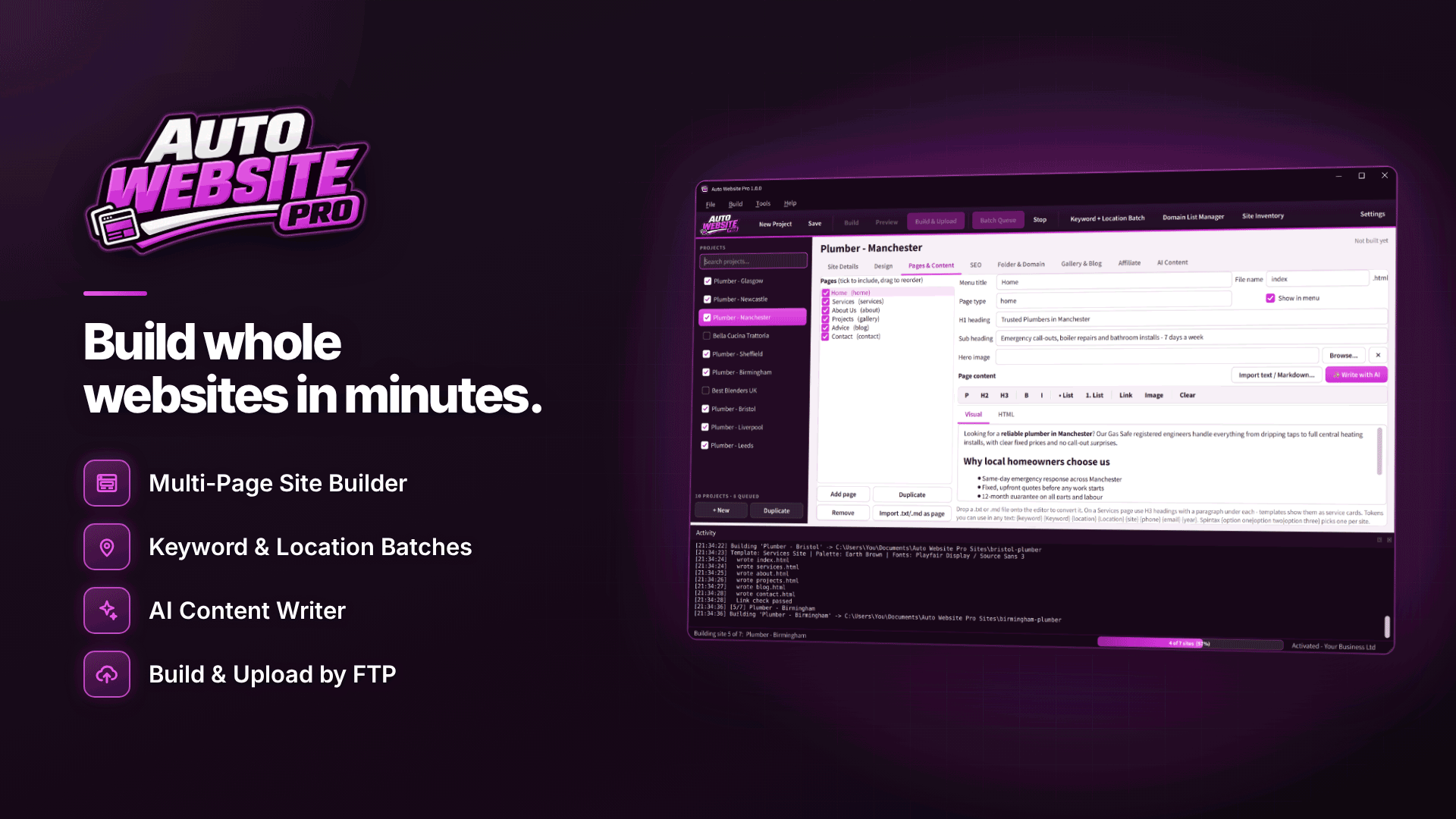
A bulk website builder handles the repetitive parts: applying templates, generating navigation, writing SEO tags and uploading. Auto Website Pro is a Windows application built for exactly this. You choose a template, add content by hand, from files or with AI, and the Batch Queue builds and uploads each finished site to its own domain. A realistic workflow:
- Start from the Affiliate Marketing template. It is one of 11 multi-page templates, and it includes review cards, star ratings, pros and cons, comparison tables, call-to-action buttons and a disclosure notice.
- Vary the design. Choose from 12 colour schemes and 12 font pairings, or use the random modes for template, colours and fonts so batch sites do not look like clones.
- Load the content. Use CSV Content Import to create one site per spreadsheet row, import .txt or .md files, or edit pages in the visual or HTML editor.
- Set up your affiliate links once. A shared product and banner link library, with banner rotation, means a changed tracking link is updated in one place.
- Add your domains. The Domain List Manager stores FTP, FTPS and SFTP logins with a connection test, and bulk domain assignment matches sites to domains. You need at least as many domains as sites.
- Queue and check. Each project in the Batch Queue keeps its own template, content and domain. Every site gets a broken-link check before upload, and sites with broken links are not uploaded by default.
- Run it. Start the queue now, use the in-app timer while the program is open, or schedule it with Windows Task Scheduler for overnight runs when the app is closed.
Every site gets its own sitemap.xml and robots.txt, plus per-page titles, meta descriptions, canonical links and Open Graph tags once you have set a domain or base URL. You can also export any site, or the whole batch, as a ZIP if you prefer to upload another way.
Before you queue: preview each site at desktop, tablet and phone sizes. A comparison table that works on desktop can be unreadable on a phone, and most affiliate traffic is mobile.
Using AI to draft content for many sites
Auto Website Pro can draft page copy, titles and meta descriptions through OpenAI using your own API key, with settings for tone, length and extra instructions and a token counter so you can see usage. OpenAI bills your own account for that usage.
Treat AI as a first draft. Google's spam policies describe "scaled content abuse" as generating many pages mainly to manipulate rankings, explicitly including AI-generated pages that add no value for users. Add your own testing notes, real product details and a clear point of view to every site. If you cannot say something different on site seven than on site three, merge them.
Why each site needs genuinely different content
The biggest risk with batch building is sameness. Watch for:
- Shared boilerplate. Identical about pages and intros across ten domains are easy to spot.
- Network interlinking. Linking all your sites to each other to boost rankings is the kind of link manipulation search engines treat as spam. Link between them only where it genuinely helps a reader.
- Same offers, same order. If every site recommends the same three products, ask why the sites exist separately.
- Republished feeds. RSS import is handy, but only republish articles you have permission to use.
Our guide to programmatic SEO for affiliate sites explains how to scale templated pages while keeping each one useful.
A worked example: five niche sites in one batch
To make this concrete, here is a hypothetical batch for an affiliate who promotes home fitness equipment and wants to test five sub-niches before committing to one.
- Brief. Five sites: rowing machines, adjustable dumbbells, yoga equipment, resistance bands and home cycling. Each has a distinct buyer, a different set of offers and different questions to answer.
- Spreadsheet. One row per site with columns for site name, domain, headline, intro, three featured products, a comparison table and the FAQ answers you have researched. This becomes the CSV import.
- Design. Affiliate Marketing template for all five, but random colour and font modes switched on so each looks like its own brand.
- Links. All tracking links stored once in the shared link library, with each site pulling only its own products.
- Review. Preview each site on phone and desktop, rewrite any section that reads like the others, then queue the batch.
- Launch. Overnight run via Windows Task Scheduler, broken-link check on every site, then Search Console submissions the next morning.
The time saved on building goes into the spreadsheet: real research per niche. After three to six months, compare traffic and earnings, keep the winners and fold the rest into them.
Domains and hosting for a site portfolio
A batch is only as reliable as the infrastructure behind it. Keep a register of every domain with its registrar, renewal date and hosting account, because a lapsed domain can take a ranking site with it. Use SFTP or FTPS rather than plain FTP for uploads, so logins are encrypted in transit. Spreading sites across more than one hosting account limits the damage if one account has an outage, but it also multiplies the logins you need to manage, so store them in one secure place.
What to do after the sites go live
- Verify each domain in Google Search Console and submit its sitemap.
- Use the CSV build logs and Site Inventory to keep track of what was built and where it went.
- Review earnings per site after a few months and prune the ones that do not earn their renewal.
- Automate the boring maintenance, not the thinking; see affiliate marketing workflows worth automating.
Frequently asked questions
Can I host the sites anywhere?
Yes. The output is plain static HTML and CSS with no PHP or database, so it runs on any host that serves static files.
Does the queue run when my PC is off?
No. The in-app timer only runs while the program is open; for runs with the app closed, use Windows Task Scheduler, which still needs the PC to be on.
Can I use my own HTML templates?
Yes. Custom templates can use tokens such as {keyword}, {site} and {year}, plus spin syntax for alternative phrasings.
Next steps
Write the one-line brief for each planned site first; if any brief looks like a copy of another, drop it. Then build two or three sites as a test batch before scaling. More tools are listed in our webmaster software directory, and you can see how Auto Website Pro handles templates, queues and uploads.