The best offline PDF editor for Windows is the one that covers the PDF jobs you actually do, on your own PC, without uploading financial documents anywhere. For affiliate site owners, Easy PDFs is built for exactly that mix: converting network statements to Excel, merging and splitting invoices, editing media kits, compressing files for email and password-protecting anything with bank or identity details on it.
This guide walks through those jobs one by one, shows how the software handles each and is honest about the limits, so you can decide whether it fits your workflow.
The PDF jobs affiliates actually do
An affiliate business is not a paperless business. In a typical month you might deal with:
- Network and program statements that you need to reconcile against your tracker and bank.
- Invoices and self-billing documents from programs, plus your own invoices to them.
- Receipts for hosting, domains, content and traffic, many of them scanned or photographed.
- Media kits and rate cards you send to advertisers and sponsors.
- Contracts and insertion orders to sign and return.
- KYC packs: passport scans, proof of address and company documents for payouts.
Most of this contains commercial or personal data you would rather not hand to a random web converter. Keeping it local is the starting point; the right features are the rest. If you are still assembling your toolkit, our overview of the essential affiliate marketing tool stack puts a PDF editor in context with trackers, analytics and hosting.
Converting affiliate statements to Excel
Statements are often only available as PDFs, which makes reconciliation painful. Exporting them to Excel (.xlsx) lets you sort by program, match payments to invoices and spot missing commissions. Easy PDFs exports PDFs to Word, Excel, PowerPoint, images and plain text, and its built-in conversion handles text and tables.
Be realistic about layout: the built-in Office conversion does not reproduce every layout detail. For a clean table of dates, sub-IDs and amounts it is usually fine; for complex designed statements, the software notes that having Microsoft Office or LibreOffice installed gives more exact results. Always spot-check totals after converting.
A quick reconciliation routine
- Batch-export the month's statements to Excel.
- Paste them into one sheet with a column for program name.
- Compare each line to your tracker's conversions and to bank receipts.
- Flag differences and raise them with the affiliate manager while the period is fresh.
How do I merge PDF invoices into one file?
Accountants and bookkeepers generally prefer one file per month or quarter over dozens of attachments. The software merges files and splits them again by every N pages, page ranges, single pages, bookmarks or file size. You can also reorder, rotate, delete, extract and insert pages using thumbnails, which helps when a program sends a two-page invoice with a blank page in the middle.
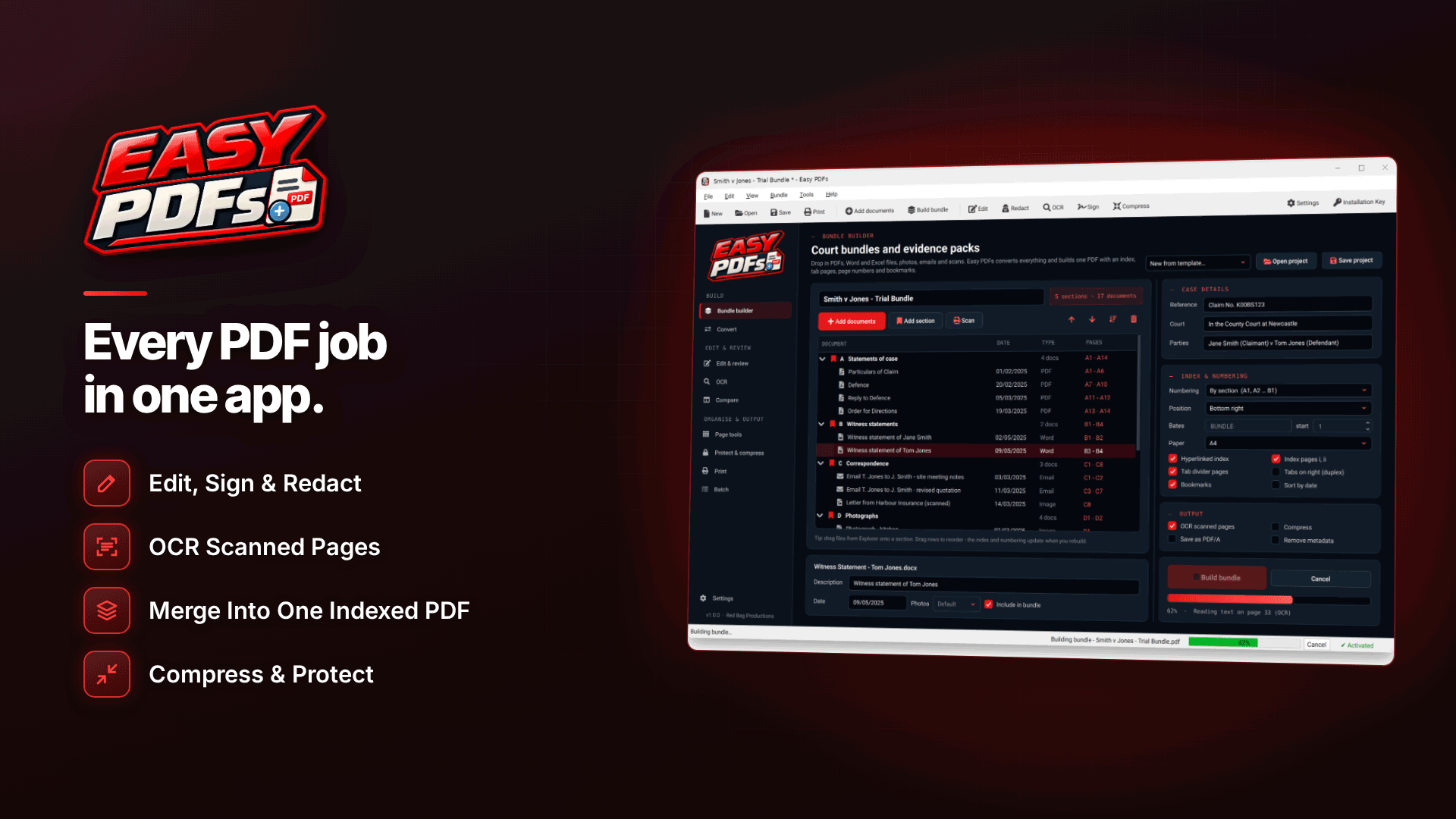
For year-end or a tax enquiry, the bundle feature goes further: sections, cover pages, a linked contents page, tabs, bookmarks and page or Bates numbering, saved as a reusable .epbundle project. That turns a folder of PDFs into an indexed pack an adviser can actually navigate. If you invoice programs yourself, our guide on how to invoice an affiliate program covers what each invoice needs to show.
Making scanned receipts searchable
Photographed receipts and old scans are just pictures until you run optical character recognition (OCR). Easy PDFs can scan directly from a Windows (WIA) scanner, OCR pages into searchable PDFs at 200, 300 or 400 dpi, and batch-OCR a whole folder. It also creates PDFs from images including HEIC photos from iPhones, and from .eml or .msg emails with their attachments, which is useful for receipts that only arrive by email.
One caveat: only English OCR is built in. If you have receipts in German, French or other languages, you would need a separate Tesseract install for those languages.
Editing media kits and rate cards
When your traffic numbers or ad slots change, you should not need to rebuild the whole media kit. Easy PDFs edits existing text in place and tries to match the original font, first using the embedded font, then an installed font, then the closest standard one. You can find and replace text across a document, move paragraphs, add text boxes, replace or delete images, and add links, headers, footers and watermarks.
Two other features help with sales documents:
- Compare two versions page by page and export a change report, useful for checking what an advertiser changed in a returned insertion order.
- Compress at three levels to get a heavy media kit under email attachment limits.
Signing contracts and protecting KYC documents
For contracts and program applications, you can fill in forms, auto-detect fields on flat forms, sign by drawing, typing or importing an image, and flatten the result. These are drawn, typed or image signatures; certificate-based digital signatures are not described, so use a dedicated e-signature service if a counterparty requires one.
For anything carrying bank details or identity documents, the protection tools matter most:
- AES-256 (or AES-128) passwords with permission restrictions;
- metadata stripping;
- redaction by search term, pattern (emails, phone, card, bank and ID numbers) or area, which removes the content from the file;
- PDF/A-2b output for long-term archiving.
Programs and processors increasingly ask for identity checks before paying out; our guide to affiliate payout KYC explains what they request and why.
Batch actions for monthly admin
The time savings come from doing things in bulk. Batch actions run over a whole folder and cover compression, watermarking, Bates numbering, OCR, password protection and Office export. A realistic month-end routine might be:
| Task | Batch action |
|---|---|
| Make receipt scans searchable | OCR the receipts folder |
| Prepare statements for reconciliation | Export to Excel |
| Shrink files for the accountant | Compress |
| Protect the finished pack | Password protection |
What makes a good offline PDF editor for Windows?
Whichever tool you end up using, judge it against the work rather than the feature list. These are the questions worth asking before you commit:
- Does it really stay offline? Check what needs an internet connection and whether any processing happens on remote servers. For statements and KYC documents, local processing should be non-negotiable.
- Can it edit, not just annotate? Many viewers let you add comments and highlights but cannot change the existing text in a media kit or correct a date on an invoice.
- How good is the Excel export on your own statements? Test it with two or three real statements from different networks, because layouts vary widely.
- Does it handle scans? OCR, and OCR in the languages your receipts use, decides whether old paperwork is searchable.
- Can it work in batches? One-at-a-time tools are fine for a hobby site but slow for a business with several programs and dozens of receipts.
- Is the protection real? Look for strong AES encryption, proper redaction that deletes content and metadata removal, not just a password prompt.
A worked example
Take a hypothetical affiliate who works with eight programs and pays for hosting, content and traffic from a dozen suppliers. At month end they have eight statements, perhaps fifteen supplier invoices and a pile of photographed receipts. Done by hand, that means opening each file, retyping figures into a spreadsheet and emailing a stack of attachments to the bookkeeper. With batch OCR, batch Excel export, a single merged and compressed invoice pack and a password on the final file, the same job becomes a short, repeatable routine. The exact time saved will depend on your volumes, so measure your own before and after.
Limits and requirements to know
- Windows only: 64-bit Windows 10 (version 1809 or later) or Windows 11, licensed per PC. No macOS, Linux or mobile versions are mentioned.
- Offline, but not entirely: processing is local, but the internet is needed for activation and update checks. The licence is checked at startup and daily, and offline use continues for 7 days.
- Installation key: you can explore the software before activating, but saving, exporting and the PDF tools require a key.
- Office conversion: handles text and tables, not every layout detail.
- No cloud or real-time collaboration: if your team edits documents together live, you will still need a shared tool for that.
- AES-256 compatibility: some older PDF readers cannot open AES-256 files.
Frequently asked questions
Does Easy PDFs upload my files?
No. Files are processed on your own PC and the site says they are never uploaded. The internet is used only for activation, licence checks and updates.
Can I compress a PDF for email?
Yes. There are three compression levels, and you can batch-compress a folder. If a file is still too large, split it by file size into parts.
Will it convert a scanned statement to Excel?
Run OCR first to make the scan searchable, then export. Results depend on scan quality and layout, so check the figures against the original.
Next steps
List the PDF jobs you do each month and time how long they take now; that tells you quickly whether a dedicated editor pays its way in hours saved. You can compare other utilities in our webmaster software and services directory. To see the statement export, merging, OCR and protection tools for yourself, visit Easy PDFs.