
If you want to know how to promote OnlyFans on tube sites, the short version is: post short, watermarked teaser clips from a verified creator account, link to your page where each site allows it, upload on a steady schedule, and track which sites actually bring subscribers. Done consistently, tube sites can become a steady source of new fans that does not depend on social media algorithms.
Below is how to choose what to post, how link rules and review queues work, and how to keep the workload manageable once you are posting to several sites every week.
Why promote OnlyFans on tube sites?
Tube sites have huge built-in audiences who are already searching for the kind of content you make. Unlike most social platforms, many allow adult previews, and a good clip can keep collecting views for months. Posting is free for creators on most tubes, and the traffic is intent-rich: someone who watches your teaser to the end is a warm prospect.
Tubes work best as one channel among several. Our complete guide to promoting OnlyFans shows how they fit alongside Reddit, X and your own site, and promoting OnlyFans without social media covers tubes as part of a social-free plan.
What teaser clips should you post on tube sites?
- Short and complete. A 1–3 minute clip with a clear hook works better than a random cut. Leave viewers wanting the full version.
- Watermarked. Put your handle or page name on the clip so reposts still point back to you.
- Varied. Different scenes, angles and themes for different sites keep your profile interesting and let you test what converts.
- Clearly yours. Only post content you own, and if anyone else appears, make sure you hold their consent and records and that it is allowed on that tube.
- Safe to show. Check nothing in frame reveals where you live or other personal details.
Link rules, verification and review queues
Every tube sets its own rules, and they change. Before posting anywhere, check:
- Verification. Many large adult tubes only accept uploads from verified creators, with ID and consent checks for everyone who appears.
- Link policy. Some allow a link to your page in the description or profile; some only for verified or partner accounts; some not at all.
- Review queues. Many tubes review uploads before they go live. A clip that shows as pending for a while is normal.
- Content rules. Banned themes, title rules and file limits differ by site.
Use a separate tracking link for each tube so you can see where subscribers come from. Our guide to OnlyFans tracking links explains how to set them up.
Writing titles and descriptions that bring clicks
Tube visitors find clips through on-site search and related-video lists, so your text does real work. A few principles:
- Describe, do not shout. A clear title describing the scene and your niche beats a string of capital letters and emojis.
- Use the words viewers search for in that site's search box, not internal jargon.
- Name yourself consistently. Use the same creator name on every tube so viewers can search for more of your work.
- Give a reason to click through. A short line saying what the full version includes, followed by your link where permitted.
- Tag accurately. Misleading tags bring the wrong viewers and can break site rules.
How often should you post teasers?
Consistency beats bursts. A realistic routine for an independent creator might be two or three new teasers a week, each going to a handful of tubes, rather than twenty uploads in one evening and then nothing for a month. Spacing uploads also looks more natural to the sites' spam filters.
The problem is time. Five tubes, three clips a week, each with a title, description, tags, category and link to fill in, is a lot of form-filling on top of making content.
How can you schedule video uploads and track them across sites?
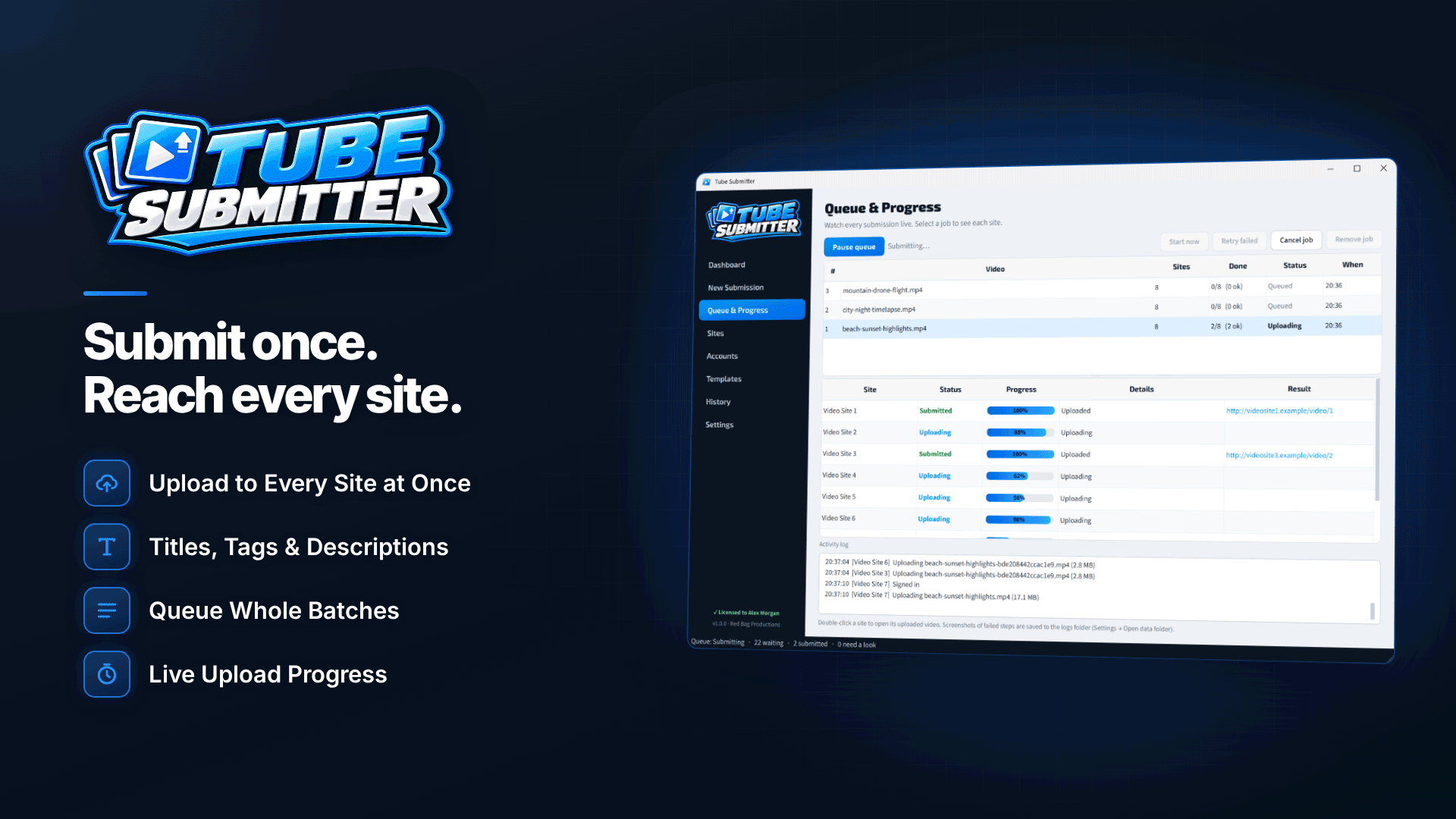
This is where an uploader saves real hours. Tube Submitter is Windows software that signs in to each tube site with your account, fills in the upload form and tracks every submission in the background. For a creator, the useful parts are:
- Templates. Save reusable title, description, tag, link and category templates, so every upload follows your brand without retyping.
- Unique text per site. Spintax such as {Morning|Sunrise} routine produces a different title, description and tags for each site, with a preview.
- Automatic link placement. Your link goes at the start or end of the description, or wherever you put a [link] tag, and is removed automatically on sites that do not allow links.
- Scheduling with spacing. Start now or at a set date and time, queue several clips, add minutes of spacing between videos and a random pause between sites.
- Status tracking. Each upload is marked uploaded, pending site review, action needed or queued, so you know what to chase.
- History. A searchable submission history, exportable to CSV, records what went where.
With Tube Submitter you still need your own account on each tube, and CAPTCHAs are never solved for you: the upload pauses and opens a browser window for you to complete it. Saved logins are encrypted with a Windows-protected key on your own PC.
Weekly routine (example): on Sunday, export three teasers, add them to one job with a saved "my tubes" profile and template, and schedule them for Monday, Wednesday and Friday evenings with spacing between sites. On Saturday, check the history for anything marked "action needed" and compare your tracking links.
Protecting your content while you promote it
Posting teasers widely does increase the chance of reposts. Watermark everything, keep full-length content behind your paywall, and use the CSV history to prove when and where you posted each clip. If full videos leak, act quickly; our guide on removing leaked OnlyFans content walks through takedown notices.
How do you know if tube promotion is working?
Views alone are a vanity metric. What matters is subscribers and their value. After a month of posting, compare:
- Clicks and subscribers per tube, from your separate tracking links.
- Which clips converted, so you can make more teasers in that style.
- Time spent per tube, including dealing with review rejections and account issues.
Drop the tubes that bring views but no fans, and put that time into the ones that do.
Frequently asked questions
Is tube site promotion free for creators?
Posting on most tubes costs nothing, but it takes time and you must follow each site's verification and link rules. The return comes from consistency and good tracking.
Can I post the same teaser to every tube?
You can, but vary the title, description and tags for each site so each upload targets different searches. Rotating different clips across sites also helps you learn what works.
Does the software work on a Mac?
No. It needs 64-bit Windows 10 (version 1809 or later) or Windows 11, with Edge or Chrome for browser-based sites.
Next steps
Choose three tubes that allow creator links, verify your accounts and post one watermarked teaser to each this week with a separate tracking link. Find more promotion channels in our traffic sources directory, or see how Tube Submitter can schedule and track your uploads.


