
Are online file converters safe? For ordinary files with no personal data, such as a logo or a public PDF, they are usually a reasonable convenience. For files that contain personal data (contracts, ID documents, invoices, model releases or subscriber exports) they are a real GDPR risk, because uploading hands that data to a third party whose security, retention and location you probably have not checked. The simplest control is to convert those files offline on your own computer, so nothing is uploaded at all.
This guide explains the risks under the EU GDPR and UK GDPR in plain terms, how to decide which files are fine to upload, and how to set up offline conversion. It is general information, not legal advice; take professional advice for your own situation.
Why can online file converters create GDPR problems?
When you upload a file containing personal data to a converter website, you are disclosing that data to another organisation. Under the GDPR (and the UK GDPR, which mirrors it), that raises several questions most site owners never ask.
Who is the converter in GDPR terms?
If a service processes personal data on your behalf, it is normally your processor, and you remain the controller. Article 28 requires processing by a processor to be governed by a written contract with specific terms, and the controller should only use processors that provide sufficient guarantees about security. The ICO's guidance on contracts between controllers and processors explains what that contract must cover. A typical ad-supported converter offers no such terms. Our guide to controller vs processor roles explains the distinction in more depth.
How long is the file kept, and who can see it?
Many services say uploads are deleted after a period, but you usually cannot verify that, nor whether copies remain in backups, logs or caches. The GDPR's security and storage-limitation principles still apply to you as controller.
Where does the data go?
Converter servers may be anywhere in the world. Sending personal data outside the UK or EEA is a restricted transfer that needs a lawful mechanism, such as an adequacy decision or appropriate safeguards. For US services, see our explainer on the EU-US Data Privacy Framework.
What if the service is breached?
If a converter you used leaks your uploaded files, that may be a personal data breach you need to assess and, where it is likely to result in a risk to people's rights and freedoms, report within 72 hours of becoming aware. Our guide to the 72-hour breach notification rule covers the process.
What about data you cannot see?
Files often carry more personal data than their visible content. Word documents can hold author names, comments and tracked changes from earlier drafts; spreadsheets can keep hidden sheets and columns; phone photos usually embed the date, the device and GPS coordinates of where they were taken. When you upload a file, all of that travels with it. A subscriber export that looks like a harmless three-column list may include a hidden sheet with IP addresses and consent timestamps. Check for hidden content before sharing any file externally, and remember that conversion itself can carry metadata across unless you deliberately remove it.
Which files are risky to upload?
| File | Personal data? | Upload to an online converter? |
|---|---|---|
| Public press kit, logo, stock image | Usually none | Generally low risk |
| Affiliate contracts and signed agreements | Names, addresses, signatures, bank details | Avoid |
| Performer or creator ID and release forms | Identity documents, dates of birth, images | Never |
| Invoices and payout reports | Names, payment details | Avoid |
| Newsletter or subscriber exports (XLSX, CSV) | Emails, IP addresses, consent records | Avoid |
| Support emails saved as PDF | Names, contact details, complaint content | Avoid |
Rule of thumb: if you would not email the file to a stranger, do not upload it to a website you know nothing about. Identity documents and age-verification records deserve the strictest handling of all.
Is it ever safe to upload documents to online converters?
It can be, if the service is treated like any other supplier. Before using one for personal data, you would expect to check:
- Who operates it, where it is established and where processing happens.
- Whether it offers a data processing agreement that meets Article 28.
- Its retention and deletion terms, and whether files are used for anything else.
- Its security measures and any certifications it publishes.
- The transfer mechanism, if data leaves the UK or EEA.
For most small affiliate and adult businesses, doing that diligence for a conversion that takes seconds is out of proportion. Converting locally removes the question altogether.
How do you convert files without uploading them?
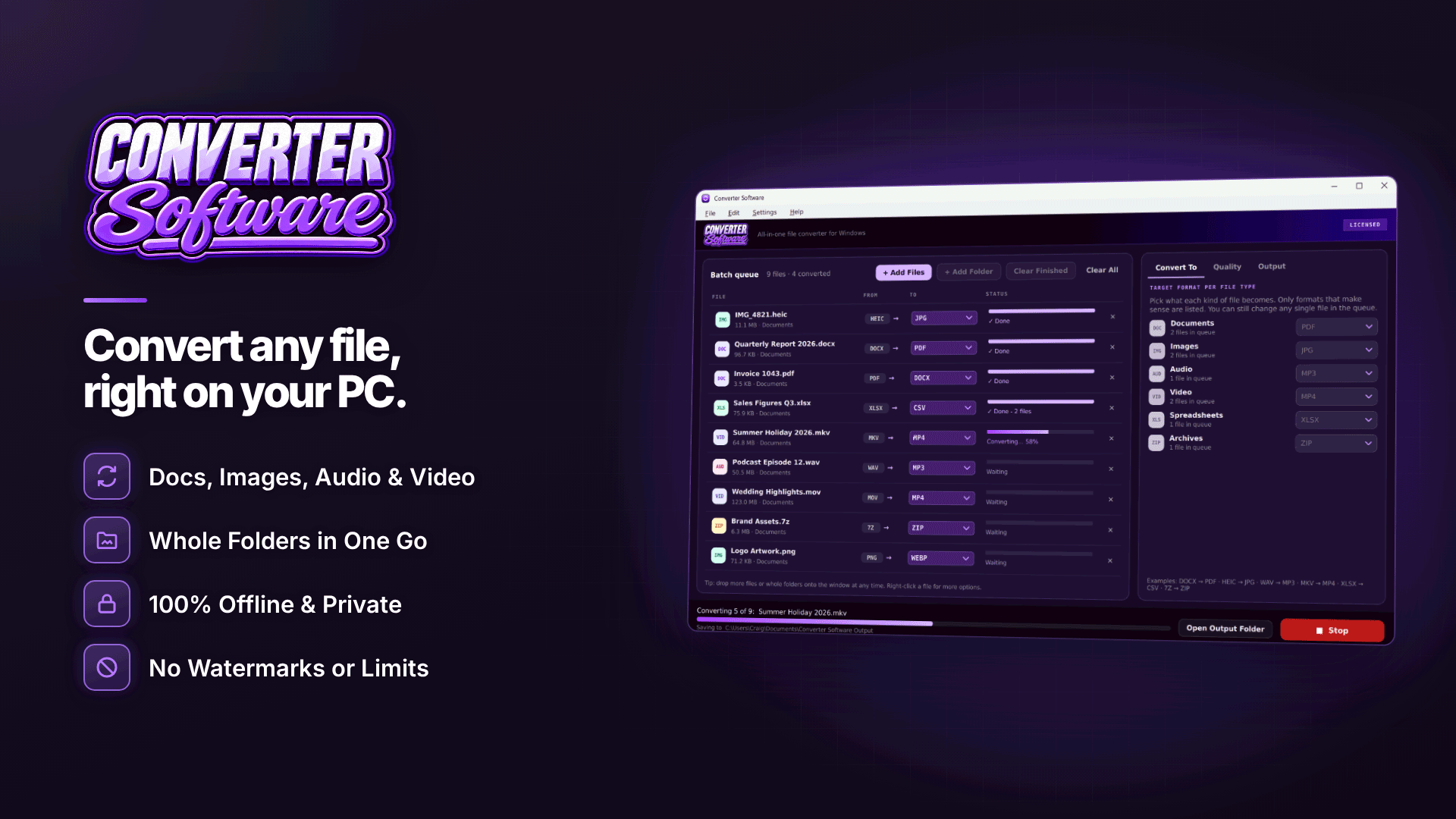
An offline file converter runs on your own PC, so the data never leaves your control. Office suites can handle a few formats, but batch jobs and unusual formats are easier with a dedicated tool. On Windows 10 or 11 (64-bit), Converter Software converts documents, images, audio, video, spreadsheets and archives locally with nothing uploaded; it only needs the internet for activation and update checks, not for converting.
For the files in the table above, the useful conversions are:
- Documents: DOCX, DOC, ODT, RTF and others to PDF, and PDF to PNG or JPG (one image per page) with a chosen DPI.
- Spreadsheets: XLSX, XLS or ODS to CSV, with one CSV per sheet or the first sheet only, and a choice of CSV encoding; spreadsheets to PDF with a set orientation.
- Images: HEIC, PNG, WebP and other formats to JPG and more, with the option to strip metadata in the same pass.
- Archives: repack into ZIP or 7Z, or extract to a new folder.
In Converter Software, whole folders, including sub-folders, can be converted in one batch, and originals are never changed or deleted. For the most faithful document conversions, and for writing .doc files, the developer recommends having Microsoft Word or LibreOffice installed. Conversion requires an activated key.
Turning it into a simple team policy
- Classify your files: anything containing personal data is "local only".
- Provide an approved offline tool on every work PC so staff are not tempted by search results.
- Record it in your records of processing and security documentation.
- Train briefly: a five-minute explanation of why stops most uploads.
- Review suppliers you do use with a proper processing agreement.
Frequently asked questions
Is uploading one file really a GDPR breach?
Not automatically. The issue is that you are disclosing personal data to a third party without the safeguards the GDPR expects. Whether a particular upload is unlawful depends on the facts; the risk is avoidable, which is why offline conversion is the sensible default.
Do the UK's 2025 data law changes alter this?
The Data (Use and Access) Act 2025 changed parts of UK data law, and the ICO has said some of its guidance is under review. The core controller and processor duties and the need for appropriate security still apply.
Are browser-based converters that run "locally" safe?
Some web tools process files in your browser without uploading them. That can be fine, but it is hard to verify. A desktop tool that works offline is easier to explain and audit.
Next steps
Review the rest of your setup with our guide to GDPR and cookie compliance for affiliate websites. To keep contracts, IDs and subscriber exports on your own machine when you convert them, look at Converter Software.


