
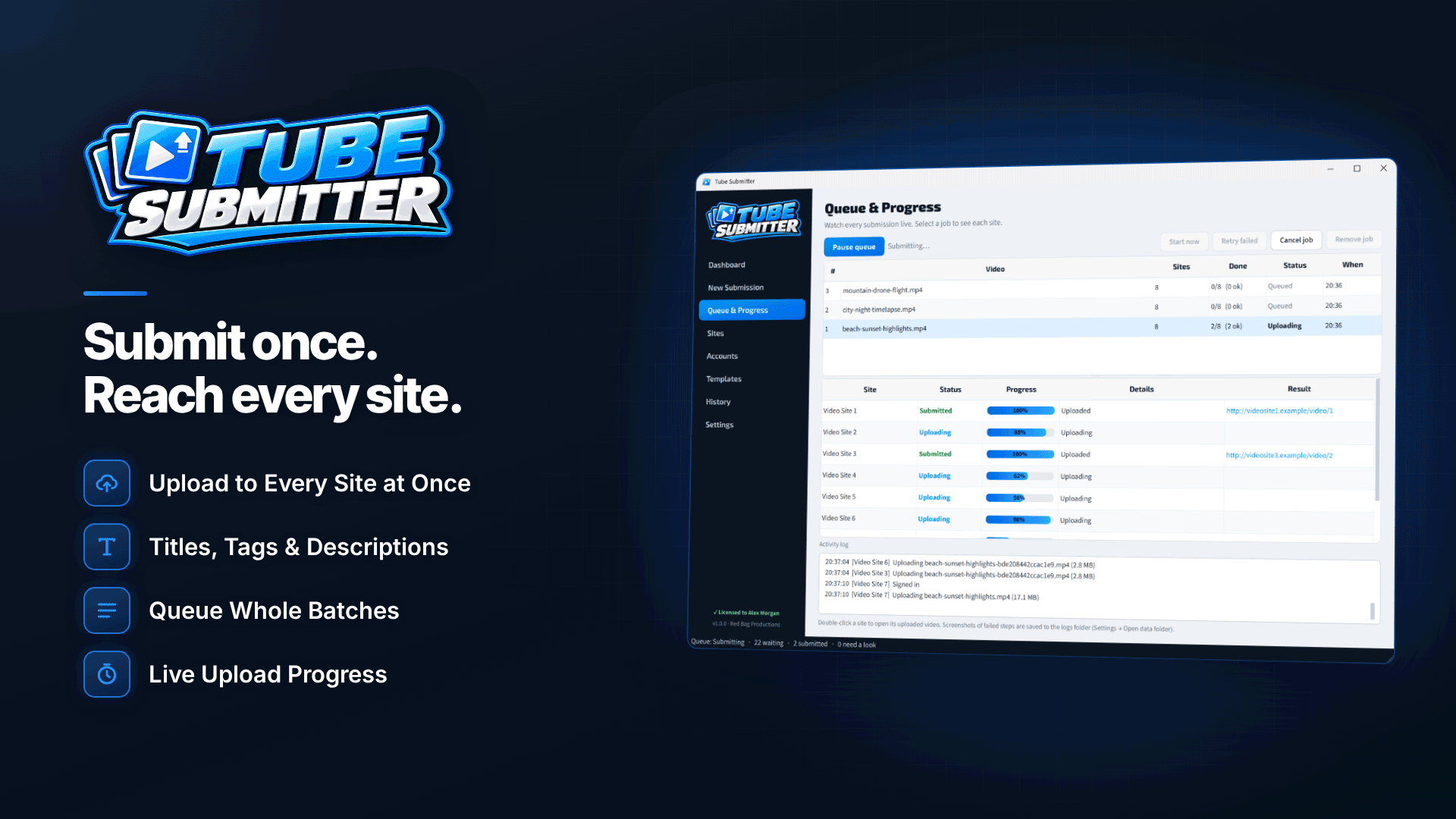
What software can upload videos to multiple sites? For tube sites specifically, Tube Submitter is a Windows desktop tool built for the job: you write the title, description, tags and link once, and it signs in to each site with your account, fills in the upload form with a unique version of your text and tracks every submission. It saves the repetitive work, but it does not replace your accounts, solve CAPTCHAs or override each site's rules.
This review-style walkthrough covers how it works, what stands out, where its limits are, and who will get the most from it.
Automated vs manual video uploading
Manual uploading is fine for one or two sites. Beyond that, the cost is time and consistency: retyping metadata, forgetting links, losing track of what went where. Automation makes sense when:
- You upload the same clips to several sites every week.
- You need different titles and descriptions per site rather than copy-paste.
- You need records for sponsors, clients or your own reporting.
- You want uploads to run at set times without sitting at the keyboard.
Example (hypothetical): if one upload form takes about eight minutes to complete properly, five clips a week to six sites is thirty forms, or around four hours of repetitive work every week before you count checking which uploads went live.
If you are deciding which parts of your business to automate, our guide to affiliate marketing workflows worth automating is a good starting point.
What software can upload videos to multiple sites?
Several kinds of tool can push video to more than one platform, from social media schedulers to custom scripts. For tube sites, look for video submission software that can:
- Store logins securely and let you test them.
- Vary metadata per site, not paste the same text everywhere.
- Respect each site's limits on title length, tags and links.
- Schedule and space uploads sensibly.
- Handle failures with retries and clear errors.
- Keep a history you can search and export.
- Let you add or fix site definitions when sites change.
How the tool works
In Tube Submitter, each target site has a site definition describing its sign-in and upload form. Built-in sites are included, and you can add custom sites and import, export, duplicate, enable or disable definitions. Uploads use one of two methods: browser-driven, where Microsoft Edge or Google Chrome is automated to complete the site's pages, or direct form-post over HTTP, which submits the form without a browser.
You add videos individually or as a whole folder, and each becomes a separate job. Named submission profiles save sets of target sites for reuse, and the queue can submit to between one and six sites at once.
Key features of the software
| Area | What it provides |
|---|---|
| Metadata | Reusable templates for titles, descriptions, tags, links and categories; spintax for a unique version per site, with preview |
| Placeholders | [link], [site], [date] and [filename] |
| Links | Inserted at the start or end of the description or at a [link] tag; removed automatically on sites that disallow links |
| Site limits | Titles, descriptions and tags trimmed to each site's limits while keeping your link |
| Scheduling | Start now or at a set date and time; spacing between videos; random pause between sites |
| Reliability | 0–5 automatic retries, retry later, screenshots of failed browser steps |
| Tracking | Live queue, dashboard, activity log, searchable history with CSV export; statuses for uploaded, pending site review, action needed and queued |
| Background running | System tray operation, queue resumes after restart, notifications for completed jobs and sites needing attention |
| Files | MP4, M4V, AVI, WMV, MOV, FLV, MKV, WebM, MPG, MPEG, 3GP, TS and VOB; conversion only when a site requires it, cached for reuse; thumbnails created when a site requires one |
| Security | Saved logins encrypted with a Windows-protected key stored only on your PC; test sign-in; notes per site |
Tube Submitter's format conversion approach is worth noting: the original file is uploaded wherever it is accepted, and converted copies are made only for the sites that need them, then cached so the conversion is not repeated.
What are the limits?
- Your own account on every site. It submits through accounts you have registered and verified.
- No CAPTCHA solving. It pauses and opens a visible browser for you to complete the CAPTCHA, and skips that site after 15 minutes without a response.
- Site changes can break definitions. When a tube redesigns its upload page, the definition needs updating before uploads work again.
- Links depend on each site's rules. Where links are not allowed, they are removed.
- Review queues still apply. Sites that moderate uploads show them as pending until review finishes.
- Windows only. 64-bit Windows 10 (version 1809 or later) or Windows 11; one PC per activation. Saved passwords are tied to your Windows account, so you re-enter them on a new PC.
- Not a video editor or host. It submits existing files; cut and encode them first.
Who is it for?
It suits three groups. Creators posting new videos to several channels get templates and scheduling. Affiliates and marketers placing tracked links across many sites get automatic link handling and per-site metadata. Agencies running video campaigns for clients get profiles, templates, scheduling and an exportable history to report from. If you hand uploading to a virtual assistant, a shared set of profiles and templates also makes the work easier to delegate; see our guide to outsourcing affiliate work.
For a hands-on walkthrough of a multi-site campaign, read how to upload one video to multiple tube sites at once.
Using a video uploader responsibly
Automation amplifies whatever you feed it. Only submit content you have the rights to distribute, follow each site's uploader and link rules, and space uploads rather than flooding sites. Accurate titles and tags matter more than volume: misleading metadata gets clips removed and accounts closed, whether a person or a program typed it.
It also pays to keep a human in the loop. Check the history after each run, read a sample of the generated titles on the live sites, and deal with anything marked "action needed" promptly. Review each site's rules every few months too, because link policies and verification requirements change, and a definition or template that suited a site last year may not suit it now.
Frequently asked questions
Is there a limit on how many videos I can queue?
No fixed limit on videos per job is stated. Concurrency is set from one to six sites at once.
Does it need to stay open?
It runs from the system tray in the background, and the queue resumes after a restart.
Does it work offline?
Uploading obviously needs a connection. Submitting requires activation, and up to 7 days offline is allowed between licence checks.
Next steps
List the sites you upload to each week and time how long one round takes by hand; that tells you whether automation is worth it. Compare other tools in our webmaster software directory, see where it fits in our essential affiliate tool stack, or explore the features on the Tube Submitter site.



