
If you are wondering how can I monitor DNS changes on my domain, set up a monitor that records your tracking domain's nameservers, key DNS records, registrar status and SSL expiry, re-checks them on a schedule, and alerts you as soon as anything differs. Pair it with a simple up/down check of the tracking URL itself, so you know whether a problem is DNS, hosting or the tracker.
Custom tracking and redirect domains sit between every paid click and every conversion. When they break, they break silently. Here is what to watch, how to check it manually on Windows, and how to automate it.
How silent DNS problems cost conversions
Most tracking setups use a CNAME or A record pointing a subdomain at your tracker. Our guide to setting up a custom tracking domain covers the setup itself. Things that change it without you noticing:
- A team member or agency edits DNS, or moves the domain to a new DNS host and doesn't copy every record.
- The registrar resets nameservers after a transfer, renewal problem or account issue.
- Your tracker changes the target you are meant to point at and the old one is retired.
- The SSL certificate on the tracking domain fails to renew, and browsers show a warning instead of redirecting.
- Someone gains access to your registrar or DNS account and points the domain elsewhere.
Each one shows up the same way in your reports: clicks in the traffic source, nothing in the tracker or network. Our checklist for conversions not tracking walks through the other causes.
What should you monitor on a tracking domain?
| Item | Why it matters |
|---|---|
| Nameservers (NS) | A nameserver change replaces your whole DNS zone; it is the biggest single warning sign |
| A and CNAME records | These point the tracking subdomain at your tracker or server |
| MX records | Changes can redirect email, including password resets for your accounts |
| Registrar and domain status | A changed registrar or removed transfer lock suggests a transfer is under way |
| SSL certificate expiry | An expired certificate breaks HTTPS redirects for most visitors |
| Website up/down | Confirms the end-to-end URL actually responds |
What are the signs of domain hijacking?
Hijacking is rare, but the early signs are the same changes a monitor watches for: nameservers you don't recognise, a different registrar, transfer-lock status removed, MX records pointing somewhere new, or login and transfer emails you didn't trigger. If you see any of these, log in to your registrar from a clean device, change the password, turn on two-factor authentication, restore the transfer lock and contact the registrar's abuse team straight away.
How do I check DNS records on Windows?
For a quick manual check, Windows has built-in tools. In Command Prompt, nslookup -type=ns yourdomain.com shows nameservers and nslookup -type=cname track.yourdomain.com shows where a tracking subdomain points. In PowerShell, Resolve-DnsName does the same with more detail. Save the results of a known-good setup in a text file so you have something to compare against.
Manual checks are fine after you change something. They are no use at 3am on a Saturday, which is when a campaign tends to break.
How to monitor nameserver and DNS changes automatically
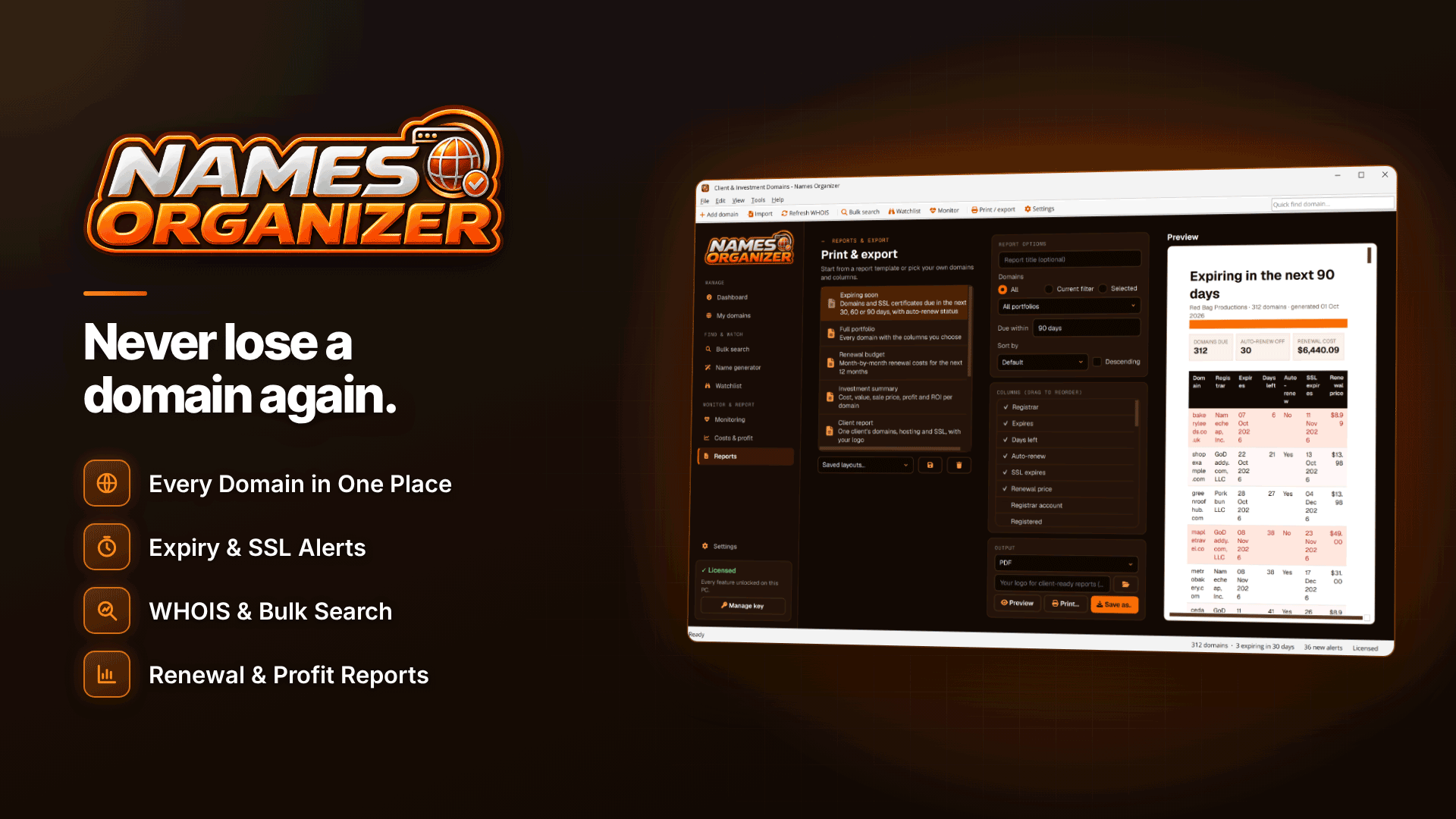
A Windows desktop app such as Names Organizer can do this for every domain you hold. By default it checks every six hours for changes to nameservers, A, MX and NS records, registrar or domain status, and runs website up/down checks; every change goes into an alert log, and each domain keeps its own change history. Alerts appear on the dashboard, as desktop notifications and by email through your own SMTP server.
Names Organizer also tracks SSL expiry, with default alerts 30, 14 and 7 days before a certificate runs out, and a "website down" filter shows every affected domain at once. That matters if you run separate tracking domains per traffic source or per client.
The record types it lists are A, MX and NS, so if your tracking subdomain relies on a CNAME, add a manual nslookup check of that CNAME to your weekly routine, or ask your tracker whether it monitors the record for you. A changed nameserver set is still the change that matters most, and that is covered automatically.
Be clear on the limits. Checks are scheduled, not continuous, so a change can go unnoticed for up to the check interval. Email alerts only send while the app is running in the system tray, so run it on a machine that stays on. It also doesn't edit DNS or anything at the registrar; when an alert fires, you fix it in your DNS host or registrar account.
Belt and braces: keep scheduled DNS monitoring for the "what changed" question, and use your tracker's or a server monitor's uptime checks for minute-by-minute "is it down" alerts.
Is the problem the domain or the hosting?
When a tracking URL stops working, narrow it down:
- Do the nameservers match your records? If not, it is a DNS or registrar issue.
- Does the tracking subdomain resolve to the right target? If not, a record has changed or been deleted.
- Does it resolve, but the page fails? That is the server, the tracker or the certificate.
- Is the domain itself still registered and active? An expired domain fails at the first step.
How do I fix an expired SSL certificate?
Most hosts and trackers issue certificates automatically, so an expired one usually means automation failed: DNS no longer points where the certificate authority expects, or a validation record was removed. Fix DNS first, then trigger a reissue from your host or tracker's dashboard. Certificate lifetimes are shrinking, with a 200-day maximum since 15 March 2026 and 100 days from March 2027, so renewals happen more often and failures surface faster.
Frequently asked questions
How often should DNS be checked?
Every few hours is reasonable for change detection on tracking domains. For uptime, use a dedicated monitor that checks every few minutes.
Do I need to monitor every subdomain?
Monitor the root domain's nameservers and status, plus the records your tracking subdomains depend on. A nameserver change affects every subdomain at once.
Can I stop my domain being transferred without permission?
Keep the registrar's transfer lock on, use a strong unique password with two-factor authentication, and keep the account's contact email on a domain you control.
Next steps
Write down the correct nameservers and records for every tracking domain today, so you have a baseline. Then check your links themselves with our guide to finding and fixing broken affiliate links, keep renewals in order with domain expiry tracking, and compare trackers in the affiliate tracking platforms directory.
Once your baseline is recorded, add the tracking domains to Names Organizer so any change to nameservers, records or SSL reaches you before it reaches your conversion rate.


